Form 24Q is the quarterly TDS statement an employer or other eligible deductor uses to report tax deducted from salary under section 192. Employees do not file it themselves, but errors in the statement can affect Form 16, Form 26AS, the Annual Information Statement, and the credit visible while filing an income-tax return.
What is form 24Q and who needs to file it?
Form 24Q reports salary TDS deducted under section 192 for each quarter. It is generally filed by the employer or deductor that holds a TAN and has salary-related TDS reporting obligations. A salaried employee normally reviews the resulting tax records but does not upload Form 24Q personally. The statement connects three data sets: the deductor, the tax deposited through challans or book adjustment, and the employee-level salary and TDS details. Correct reporting matters because the tax credit ultimately needs to map to the employee’s PAN.
A useful checkpoint is to ask who deducted the tax. If an organisation deducted TDS from salary, its payroll or tax team generally handles the statement. If no salary TDS was deducted, the reporting position may depend on the applicable rules and facts, so the deductor should verify the current requirement.
What information and annexures does Form 24Q contain?
Form 24Q captures deductor details, challan or book-adjustment data, employee PAN information, salary TDS and supporting salary particulars. Annexure I supports quarterly deductee and tax-payment reporting. Annexure II contains the detailed annual salary computation and is generally completed with the fourth-quarter statement.
|
Component
|
What it covers
|
Practical check
|
|
Deductor details
|
TAN, PAN where applicable, name, address, and responsible person details
|
Match the current registration records
|
|
Challan or book adjustment
|
Tax paid, date, amount, BSR code, or government book-entry information
|
Reconcile with the payment record before upload
|
|
Employee records
|
PAN, name, payment, or credit and TDS
|
Run PAN and payroll master checks
|
|
Annexure I
|
Quarter-level deductee and deduction information
|
Ensure employee totals tie to challans
|
|
Annexure II
|
Annual salary, exemptions, deductions, taxable income, and tax computation
|
Reconcile the full year before Q4 filing
|
When is Form 24Q due for FY 2026-27?
Under the standard quarterly timetable, Form 24Q is due on 31 July for April to June, 31 October for July to September, 31 January for October to December, and 31 May after the financial year for January to March. Always check for a notified extension before filing.
|
Quarter
|
Period
|
Standard due date for FY 2026-27
|
Operational target
|
|
Q1
|
1 April to 30 June 2026
|
31 July 2026
|
Complete reconciliation at least several working days earlier
|
|
Q2
|
1 July to 30 September 2026
|
31 October 2026
|
Resolve PAN and challan mismatches before validation
|
|
Q3
|
1 October to 31 December 2026
|
31 January 2027
|
Check year-to-date regime and deduction data
|
|
Q4
|
1 January to 31 March 2027
|
31 May 2027
|
Complete annual salary reconciliation and Annexure II
|
The deadline is not the ideal day to start validation. A file may fail checks because of an invalid PAN, unmatched challan, incorrect financial year, inconsistent tax amounts, or a schema-level error. An internal cut-off provides time to correct these issues without turning a routine statement into a late filing.
How is Form 24Q filed without creating avoidable mismatches?
A reliable filing flow has six controls: close payroll for the quarter, reconcile TDS with challans or book entries, validate employee PANs, prepare the statement in the prescribed utility or format, clear validation errors, and retain the acknowledgement. Processing status should be checked after upload.
- Reconcile payroll, taxable salary and TDS employee by employee.
- Match deposited tax with the relevant challan identification details or book adjustment.
- Verify PANs and remove duplicate or wrongly mapped employee records.
- Prepare Form 24Q in the currently prescribed format using the applicable preparation utility or payroll system.
- Run the current file validation process and resolve every blocking error.
- Upload through the authorised channel, retain the token or acknowledgement, and monitor processing status.
A successful upload is not the final control. Review the processing result and correction requirements, if any. Retain the working papers used to reconcile salary, tax, challans, and employee declarations.
What is the difference between Form 24Q and Form 16?
Form 24Q is the employer’s quarterly salary TDS statement submitted to the tax system. Form 16 is the annual TDS certificate issued to the employee. The two should reconcile, but they serve different users, follow different schedules and are not interchangeable documents.
|
Point
|
Form 24Q
|
Form 16
|
|
Primary purpose
|
Quarterly reporting of salary TDS by the deductor
|
Annual certificate of salary and TDS for the employee
|
|
Who handles it
|
Employer or eligible deductor
|
Employer issues it to the employee
|
|
Frequency
|
Quarterly
|
Annual
|
|
Key content
|
Challan, deductee, and salary reporting data
|
Part A TDS details and Part B salary and tax computation
|
|
Employee action
|
Verify downstream tax credit and raise discrepancies
|
Use it to review income and support return filing
|
|
Common error impact
|
May cause missing or incorrect tax credit
|
May show salary or deduction data that needs correction
|
What should an employee check after the employer files?
An employee should compare the salary slip totals, Form 16, Form 26AS and the Annual Information Statement before filing the income-tax return. Check the employer’s TAN, your PAN, gross salary, exemptions, deductions, chosen tax regime, TDS amount and whether tax credit appears against the correct assessment year. If the credit is missing or the salary figure is wrong, first share a precise reconciliation with payroll.
The employee generally cannot correct the employer’s Form 24Q directly. The deductor may need to submit a correction statement and allow time for the revised data to be processed.
What is the hidden catch in Q4 reporting?
The fourth-quarter statement does more than report three months of deductions. It also brings together the annual salary computation in Annexure II. A regime selection, exemption, deduction or previous-employer income error can therefore change the year-end tax result and flow into Form 16 and the employee’s return data. This annual reconciliation is the point where small monthly assumptions can become a larger year-end shortfall.
Examples include omitted previous-employer salary, unsupported exemptions, an incorrect deduction declaration, or a tax-regime treatment that does not match the employee’s valid choice and payroll records. Payroll teams should preserve the declaration trail and apply current tax rules. Employees should not wait until return filing to inspect the outcome. Reviewing the final payroll computation before Form 16 is issued can make corrections more manageable.
What can happen if Form 24Q is late or inaccurate?
Late or inaccurate filing can lead to a section 234E fee, possible penalty exposure under section 271H, correction work and delayed employee tax credit. The section 234E fee is generally Rs. 200 per day and is capped at the amount of TDS, subject to the applicable statutory provisions. The consequences depend on the facts, duration of delay, tax payment status and statutory conditions.
Section 271H can apply to specified failures or inaccurate statements, while the law also contains conditions relevant to relief. Deductors should use current professional guidance for a live case rather than rely only on a general article.
|
Risk
|
Operational effect
|
Preventive control
|
|
Late filing
|
Fee exposure and delayed processing
|
Set an internal deadline before the statutory date
|
|
Wrong PAN
|
Tax credit may not map correctly
|
Validate PAN against the employee master
|
|
Challan mismatch
|
Statement may process with defaults or require correction
|
Reconcile amount, date and identification details
|
|
Incorrect salary computation
|
Form 16 and return data may be affected
|
Perform Q4 annual reconciliation
|
|
Untracked correction
|
Employee may continue to see the old data
|
Monitor correction-statement processing
|
How can Life Insurance records fit into payroll tax documentation?
Where an employee submits eligible Life Insurance payment information for payroll tax computation, the declaration should be supported by valid records and assessed under the tax regime, and provisions applicable to that employee. Tax eligibility is separate from the core need to protect dependents against the financial impact of death. ABSLI offers Life Insurance solutions that may support protection and long-term family financial planning, depending on the chosen product and its terms.
Product selection should begin with the family’s income-replacement need, liabilities, time horizon, and affordability, not with a tax deduction alone. Any product discussion must use the approved sales material and applicable UIN.
Before you rely on this checklist
Tax forms, validation utilities, portal workflows, and notified deadlines can change. Confirm the current form, schema, due date, and legal provisions on the Income Tax Department and authorised TDS filing resources before acting. For an organisation-specific or disputed case, obtain advice from a qualified tax professional.






 November 13, 2026
 10 mins




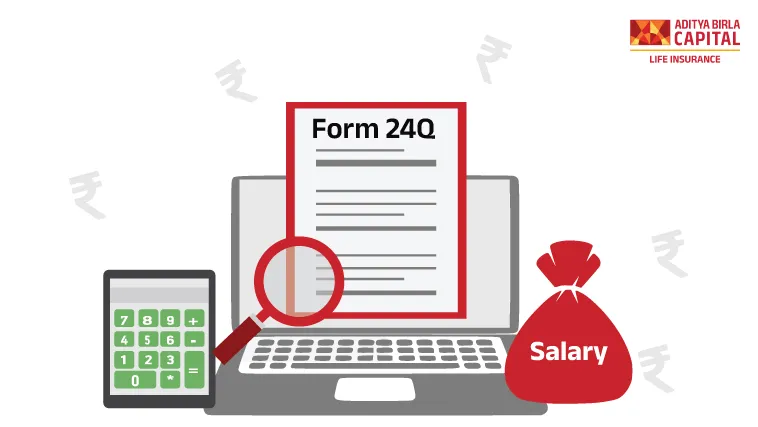
 Table of Contents


 BUY ONLINE